Mastering WordPress SEO: A Comprehensive 2024 Guide to Dominate Search Rankings

In the ever-evolving digital landscape, standing out online is no longer just an advantage—it’s a necessity. For the millions of websites powered by WordPress, this means mastering the art and science of Search Engine Optimization (SEO). This comprehensive WordPress SEO Guide for 2024 is designed to equip you with the knowledge and strategies to elevate your website’s visibility, attract more organic traffic, and ultimately achieve your online goals. Whether you’re a seasoned webmaster or just starting, understanding and implementing effective WordPress SEO practices is paramount to your success.
SEO isn’t a one-time task; it’s an ongoing process that requires continuous effort, adaptation, and an understanding of search engine algorithms. With Google, Bing, and other search engines constantly refining their ranking factors, staying updated is crucial. This guide will delve into the core principles of SEO, tailored specifically for the WordPress platform, ensuring you have a robust framework for improving your search rankings in 2024 and beyond. We’ll cover everything from technical SEO to content optimization, mobile responsiveness, and leveraging powerful WordPress plugins to supercharge your efforts.
Understanding the Fundamentals of WordPress SEO
Before diving into specific tactics, it’s essential to grasp the foundational concepts of SEO within the WordPress ecosystem. WordPress, by its very nature, is SEO-friendly. Its clean code, customizable structure, and vast array of plugins make it an ideal platform for optimization. However, ‘SEO-friendly’ doesn’t mean ‘SEO-optimized’ out of the box. There’s still significant work to be done to ensure your site performs at its peak.
What is WordPress SEO and Why is it Important?
WordPress SEO refers to the process of optimizing your WordPress website to rank higher in search engine results pages (SERPs). This involves a combination of technical adjustments, content enhancements, and strategic link building, all aimed at making your site more appealing to search engine crawlers and, by extension, to users. The importance of SEO cannot be overstated. A high search ranking translates to increased visibility, more organic traffic, higher conversion rates, and ultimately, greater business success. In 2024, with competition fiercer than ever, neglecting WordPress SEO is akin to opening a store in a hidden alley—nobody will find you.
How Search Engines Work: A Brief Overview
To effectively optimize your WordPress site, it helps to understand how search engines operate. They primarily follow three steps:
- Crawling: Search engine bots (spiders) discover new and updated web pages by following links.
- Indexing: Information gathered during crawling is processed and stored in a massive database, known as the search index.
- Ranking: When a user enters a query, the search engine retrieves relevant pages from its index and ranks them based on hundreds of factors, determining their order in the SERPs.
Your goal with WordPress SEO is to make your site easily crawlable, correctly indexed, and highly rankable for relevant keywords. This comprehensive guide will show you exactly how to achieve that.
Essential WordPress SEO Settings and Plugins
WordPress offers a robust foundation, but specific settings and plugins can significantly enhance your SEO efforts. Getting these right from the start is crucial for any successful WordPress SEO Guide strategy.
Choosing the Right Hosting Provider
Your hosting provider plays a critical role in your site’s performance, which directly impacts SEO. Look for hosts that offer:
- Speed: Fast loading times are paramount for user experience and search rankings.
- Reliability/Uptime: Your site needs to be accessible 24/7.
- Security: Robust security features protect your site from threats, which can negatively impact SEO.
- Scalability: As your site grows, your hosting should be able to accommodate increased traffic.
Configuring WordPress Permalink Structure
Permalinks are the permanent URLs to your individual blog posts, pages, and other content. An SEO-friendly permalink structure is crucial for both users and search engines. Go to Settings > Permalinks in your WordPress dashboard and choose ‘Post name’. This creates clean, descriptive URLs that often include your target keywords, making them more understandable. For instance, yourwebsite.com/your-post-name is far superior to yourwebsite.com/?p=123.
Installing and Configuring an SEO Plugin
This is arguably the most vital step for any WordPress SEO Guide. Plugins like Yoast SEO or Rank Math are game-changers. They provide a suite of tools to manage your on-page SEO, including:
- Meta Titles and Descriptions: Customize these for every page and post to improve click-through rates.
- XML Sitemaps: Automatically generate and submit sitemaps to search engines, helping them crawl your site more efficiently.
- Schema Markup: Add structured data to help search engines understand your content better and display rich snippets.
- Content Analysis: Get real-time feedback on your content’s readability and keyword usage.
- Canonical URLs: Prevent duplicate content issues.
Install one of these plugins, activate it, and go through its setup wizard to configure the basic settings. Regularly review its recommendations for your content.
Google Analytics and Search Console Integration
These two free tools from Google are indispensable for any serious WordPress SEO Guide strategy:
- Google Analytics: Tracks website traffic, user behavior, bounce rates, and conversion goals. Understanding this data helps you refine your SEO strategy.
- Google Search Console: Provides insights into how Google views your site. It helps you monitor search performance, identify crawling errors, submit sitemaps, and understand which queries bring users to your site.
Integrate both with your WordPress site as soon as possible. Many SEO plugins offer direct integration options, or you can use dedicated plugins for easier setup.
On-Page SEO: Mastering Content and Keywords
On-page SEO refers to all the elements on your website that you can optimize. This is where your content truly shines and where your keyword strategy comes to life. A well-executed on-page strategy is a cornerstone of this WordPress SEO Guide.
Keyword Research: The Foundation
Effective keyword research is the bedrock of successful SEO. It involves identifying the terms and phrases your target audience uses when searching for information, products, or services related to your niche. Tools like Google Keyword Planner, Ahrefs, SEMrush, or even Google’s ‘People also ask’ section can help you find relevant keywords with a good balance of search volume and low competition. Focus on a mix of:
- Short-tail keywords: Broad terms (e.g., ‘SEO tips’).
- Long-tail keywords: More specific phrases (e.g., ‘best WordPress SEO tips for small businesses 2024’). These often have lower search volume but higher conversion rates.
Always aim for keywords that align with user intent—what are people truly looking for when they type that query?
Crafting Compelling Content
Content is king, and high-quality, relevant, and engaging content is crucial for ranking well. Your content should:
- Be comprehensive: Cover your topic thoroughly, answering all potential user questions.
- Be original: Avoid duplicate content.
- Be engaging: Use clear language, headings, subheadings, bullet points, and visuals to improve readability.
- Solve a problem: Provide value to your readers.
- Be regularly updated: Keep your content fresh and accurate.
Remember, search engines prioritize user experience. If users find your content valuable, they’ll spend more time on your page, reducing bounce rates and signaling to search engines that your content is high-quality.
Strategic Keyword Placement
Once you have your target keywords, integrate them naturally into your content. Avoid keyword stuffing, which can harm your rankings. Key areas for keyword placement include:
- Title Tag (<title>): Include your primary keyword as close to the beginning as possible.
- Meta Description: While not a direct ranking factor, it influences click-through rates (CTR). Include your keyword and a compelling call to action.
- H1 Heading: Your main heading should contain your primary keyword.
- Subheadings (H2, H3, etc.): Use related keywords and variations in your subheadings.
- First Paragraph: Naturally introduce your primary keyword early in the content.
- Body Content: Distribute your keyword and its variations naturally throughout the text.
- Image Alt Text and File Names: Describe your images using relevant keywords.
- URL Slug: Ensure your permalink includes your main keyword.
These are your site’s advertisements in the SERPs. A well-optimized title tag (the text that appears in the browser tab and as the main clickable link in search results) and meta description (the brief summary below the title) can significantly improve your CTR. Keep title tags concise (around 50-60 characters) and meta descriptions to about 150-160 characters. Use your main keyword and craft compelling copy that entices users to click.
Header tags not only break up your content, making it more readable, but they also provide structure and hierarchy that search engines understand. Use only one H1 tag per page (your main title) and use H2, H3, and so on, to organize your subtopics. Include relevant keywords in your headings to signal the content’s relevance to search engines. This is a critical component of any effective WordPress SEO Guide.
Technical WordPress SEO: Optimizing for Crawlers
Technical SEO ensures that search engines can efficiently crawl, index, and understand your website. Neglecting this aspect can severely hinder your rankings, regardless of how good your content is. This section of the WordPress SEO Guide focuses on the backend optimizations.
Site Speed and Core Web Vitals
Page load speed is a crucial ranking factor and a significant component of user experience. Google introduced Core Web Vitals (Largest Contentful Paint, First Input Delay, Cumulative Layout Shift) as key metrics for user experience. Slow sites lead to higher bounce rates and poorer rankings. To improve your WordPress site speed:
- Choose a fast host: As mentioned earlier, this is foundational.
- Optimize images: Compress images without sacrificing quality. Use lazy loading.
- Use a caching plugin: Plugins like WP Super Cache or W3 Total Cache can dramatically speed up your site by serving static HTML files.
- Minimize CSS and JavaScript: Combine and minify your code.
- Use a Content Delivery Network (CDN): Distributes your content to servers worldwide, serving it faster to users based on their geographic location.
- Keep WordPress, themes, and plugins updated: Updates often include performance improvements.
Mobile Responsiveness and Mobile-First Indexing
Given that a significant portion of internet traffic comes from mobile devices, Google primarily uses the mobile version of your content for indexing and ranking. Ensure your WordPress theme is fully responsive and provides an excellent experience on all devices. Test your site’s mobile-friendliness using Google’s Mobile-Friendly Test tool. A responsive design is a non-negotiable aspect of any modern WordPress SEO Guide.
XML Sitemaps and Robots.txt
- XML Sitemaps: These files list all the important pages on your website, helping search engines discover and crawl your content more effectively. Your SEO plugin will typically generate and update this automatically. Submit your sitemap to Google Search Console.
- Robots.txt: This file tells search engine crawlers which pages or sections of your site they should or shouldn’t access. Use it to prevent indexing of unimportant or private pages (e.g., admin login pages) but be careful not to block important content.
SSL (HTTPS) Security
Google has confirmed that HTTPS is a ranking signal. An SSL certificate encrypts the connection between your user’s browser and your website, protecting sensitive information. Most hosting providers offer free SSL certificates (e.g., Let’s Encrypt). Ensure your site uses HTTPS for all pages. If you’re switching from HTTP to HTTPS, make sure to implement proper 301 redirects to avoid breaking existing links and losing SEO value.
Schema Markup / Structured Data
Schema markup is a form of microdata that you can add to your HTML to help search engines better understand the content on your pages. This can lead to rich snippets in search results (e.g., star ratings, product prices, event dates), which can significantly improve your CTR. Your SEO plugin can assist with implementing various types of schema, such as Article, Product, Recipe, Review, and Local Business schema. This advanced technique is a powerful tool in your WordPress SEO Guide arsenal.
Off-page SEO refers to actions taken outside of your website to impact your rankings within search engine results pages (SERPs). The primary component of off-page SEO is link building, but it also encompasses social media marketing, local SEO, and brand mentions. This aspect of the WordPress SEO Guide focuses on external signals of credibility.
Backlinks: The Vote of Confidence
Backlinks (incoming links from other websites to yours) are one of the most powerful ranking factors. Search engines view backlinks as ‘votes of confidence’ or endorsements. The more high-quality, relevant backlinks you have from authoritative websites, the more trustworthy and authoritative your site appears to search engines. However, not all backlinks are created equal. Focus on:
- Quality over quantity: A few links from highly authoritative, relevant sites are far more valuable than many links from low-quality or spammy sites.
- Relevance: Links from sites within your niche or related industries carry more weight.
- Anchor text: The clickable text of a hyperlink. Use descriptive, keyword-rich anchor text naturally.
Strategies for acquiring backlinks include:
- Creating high-quality, shareable content: Content that naturally attracts links.
- Guest blogging: Writing articles for other websites in your niche with a link back to your site.
- Broken link building: Finding broken links on other sites and suggesting your content as a replacement.
- Outreach: Contacting relevant websites and influencers to promote your content.
- Brand mentions: Sometimes, even unlinked mentions of your brand can contribute to authority.
While social media signals aren’t direct ranking factors, they play an indirect but significant role in SEO. Social shares, likes, and comments can:
- Increase content visibility: More people see your content, increasing the chances of backlinks and mentions.
- Drive traffic: Social media can be a significant source of direct traffic to your website.
- Boost brand awareness: A stronger brand presence can lead to more direct searches for your brand.
Share your WordPress content across relevant social media platforms to maximize its reach.
Local SEO for WordPress Businesses
If your business has a physical location or serves a specific geographic area, local SEO is critical. This involves optimizing your online presence to attract local customers. Key strategies include:
- Google My Business (GMB): Create and optimize your GMB profile with accurate information, photos, and customer reviews. This is arguably the most important local SEO factor.
- Local citations: Ensure your Name, Address, and Phone number (NAP) are consistent across all online directories (Yelp, Yellow Pages, etc.).
- Location-specific keywords: Optimize your content for local search terms (e.g., ‘best coffee shop in [city]’).
- Local reviews: Encourage customers to leave reviews on GMB and other platforms.

Advanced WordPress SEO Strategies for 2024
Once you’ve mastered the fundamentals, it’s time to explore advanced techniques that can give you an edge in the competitive 2024 landscape. This section of our WordPress SEO Guide will push your optimization further.
Voice Search Optimization
With the rise of smart speakers and virtual assistants, voice search is becoming increasingly prevalent. Voice searches differ from text searches in that they tend to be more conversational and question-based. To optimize for voice search:
- Focus on long-tail keywords: These closely mimic natural speech patterns.
- Answer direct questions: Structure your content to directly answer common questions (e.g., using ‘How to,’ ‘What is,’ ‘Why’).
- Use conversational language: Write naturally, as if you’re speaking to someone.
- Aim for featured snippets: Voice search often pulls answers directly from featured snippets (Position 0) in Google.
Google heavily emphasizes E-E-A-T, especially for ‘Your Money or Your Life’ (YMYL) topics (health, finance, safety). To demonstrate E-E-A-T for your WordPress site:
- Showcase expertise: Highlight author bios, credentials, and experience.
- Build authority: Earn high-quality backlinks and mentions from reputable sources.
- Foster trustworthiness: Provide accurate information, secure your site (HTTPS), and have clear privacy policies and contact information.
- Demonstrate experience: Share real-world examples, case studies, and practical insights.
User Experience (UX) as an SEO Factor
UX and SEO are inextricably linked. Google’s algorithms are designed to reward websites that provide a great user experience. Factors like site speed, mobile-friendliness, easy navigation, clear content, and low bounce rates all contribute to good UX and positive SEO signals. Continuously monitor user behavior on your WordPress site using Google Analytics and make improvements based on the data.
Content Audits and Optimization
Regularly audit your existing content to identify opportunities for improvement. A content audit involves:
- Identifying underperforming content: Pages that aren’t ranking well or getting traffic.
- Updating outdated information: Keep your content fresh and relevant.
- Expanding thin content: Add more depth and detail to short, uninformative pages.
- Consolidating duplicate content: Merge similar articles into one comprehensive piece and use 301 redirects.
- Optimizing for new keywords: Re-optimize old posts for newly discovered relevant keywords.
This continuous refinement is crucial for long-term WordPress SEO Guide success.
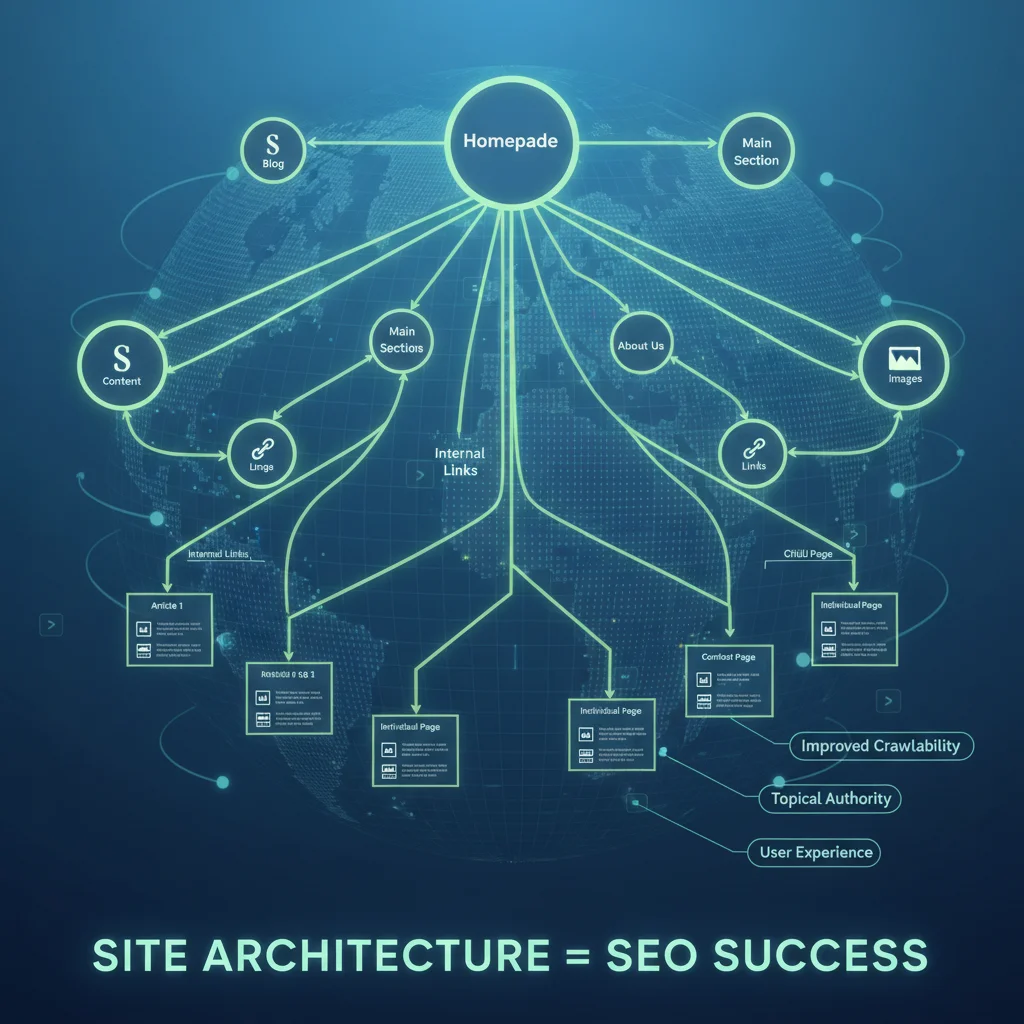
Internal Linking Strategy
Internal links (links from one page on your site to another) are often overlooked but are vital for SEO. They help:
- Distribute ‘link equity’ (PageRank) throughout your site.
- Improve site navigation: Guide users to related content.
- Help search engines discover new content: Crawlers follow internal links to find new pages.
- Signal content relevance: Use descriptive anchor text to tell search engines what the linked page is about.
Develop a thoughtful internal linking strategy, linking relevant articles and pages together using appropriate anchor text. Your WordPress SEO Guide should always include a plan for effective internal linking.
Monitoring and Analyzing Your WordPress SEO Performance
SEO is not a ‘set it and forget it’ endeavor. Continuous monitoring and analysis are critical to understanding what’s working, what’s not, and where to focus your future efforts. This section of the WordPress SEO Guide outlines how to track your progress.
Google Analytics Deep Dive
Beyond basic traffic monitoring, use Google Analytics to:
- Identify top-performing pages: See which content is attracting the most organic traffic.
- Analyze user behavior: Look at bounce rate, time on page, and conversion paths.
- Understand audience demographics: Tailor your content to your target audience.
- Track goal completions: Measure how many users complete desired actions (e.g., sign-ups, purchases).
Google Search Console for Performance Insights
Search Console is your direct line to Google. Use it to:
- Monitor search performance: See which keywords you rank for, your average position, and CTR.
- Identify indexing issues: Check for crawl errors, duplicate content, and sitemap issues.
- Receive security notifications: Be alerted to potential malware or hacking attempts.
- Check mobile usability: Ensure your pages are mobile-friendly.
- Review backlinks: See who is linking to your site.
Tracking Keyword Rankings
While Google Search Console provides some keyword data, dedicated rank tracking tools (like Ahrefs, SEMrush, Moz) offer more detailed insights into your keyword positions over time. Monitor your target keywords to see if your optimization efforts are paying off and identify new opportunities. This ongoing tracking is a fundamental part of any successful WordPress SEO Guide.
Competitor Analysis
Regularly analyze your competitors’ SEO strategies. What keywords are they ranking for? What kind of content are they producing? Who is linking to them? Tools like Ahrefs and SEMrush allow you to spy on your competitors’ backlink profiles and keyword strategies, providing valuable insights you can use to refine your own WordPress SEO Guide.
Common WordPress SEO Mistakes to Avoid
Even with a comprehensive WordPress SEO Guide, it’s easy to make mistakes. Being aware of these pitfalls can save you a lot of time and effort.
- Ignoring mobile optimization: Not having a responsive design or fast mobile site.
- Keyword stuffing: Overusing keywords in an attempt to manipulate rankings. This can lead to penalties.
- Ignoring site speed: A slow site frustrates users and search engines.
- Poor internal linking: Not creating a logical flow of links within your site.
- Not using an SEO plugin: Missing out on essential tools for on-page optimization.
- Forgetting about technical SEO: Ignoring sitemaps, robots.txt, or SSL.
- Producing low-quality content: Content that doesn’t provide value to users.
- Neglecting link building: Failing to acquire high-quality backlinks.
- Not monitoring performance: Without data, you can’t improve.
- Duplicate content: Having identical or very similar content on multiple pages. Use canonical tags or 301 redirects.
The Future of WordPress SEO: Trends to Watch
SEO is a dynamic field. Staying ahead means keeping an eye on emerging trends. For 2024 and beyond, consider these aspects in your WordPress SEO Guide strategy:
- AI in Search: Google’s integration of AI (like BERT and MUM) means search engines are better at understanding natural language and complex queries. Focus on providing comprehensive, contextually rich content.
- Generative AI for Content: While AI can assist in content creation, human oversight is crucial. Google emphasizes E-E-A-T, and purely AI-generated content often lacks the unique insights and experience that search engines value. Use AI as a tool, not a replacement.
- Video SEO: Video content continues to dominate. Optimize your videos with relevant keywords in titles, descriptions, and tags. Consider using video schema markup.
- Semantic SEO: Moving beyond just keywords to understanding the relationships between concepts. Create content around topics and entities rather than just isolated keywords.
- Core Web Vitals Evolution: Expect Google to continue refining and adding to these user experience metrics.
- Personalized Search Results: Search results are increasingly tailored to individual users based on their location, search history, and preferences. Focus on providing highly relevant content for your target audience.
Conclusion: Your Journey to WordPress SEO Mastery
Mastering WordPress SEO is a continuous journey, not a destination. By diligently applying the strategies outlined in this comprehensive 2024 guide, you’ll be well-equipped to improve your website’s visibility, attract more organic traffic, and achieve your online objectives. Remember that SEO requires patience and consistency. Search engine algorithms are constantly evolving, so staying informed and adapting your strategies will be key to long-term success.
Start with the foundational elements: secure robust hosting, configure SEO-friendly permalinks, and install a powerful SEO plugin. Then, dedicate time to thorough keyword research and create high-quality, user-focused content that naturally incorporates those keywords. Don’t neglect the technical aspects, ensuring your site is fast, mobile-responsive, and easily crawlable. Finally, build your site’s authority through strategic link building and consistent monitoring of your performance using tools like Google Analytics and Search Console.
The digital landscape of 2024 offers immense opportunities for those who invest in smart SEO. With this WordPress SEO Guide, you have a roadmap to navigate the complexities and emerge victorious in the search rankings. Begin implementing these strategies today, and watch your WordPress website climb to new heights of online success.